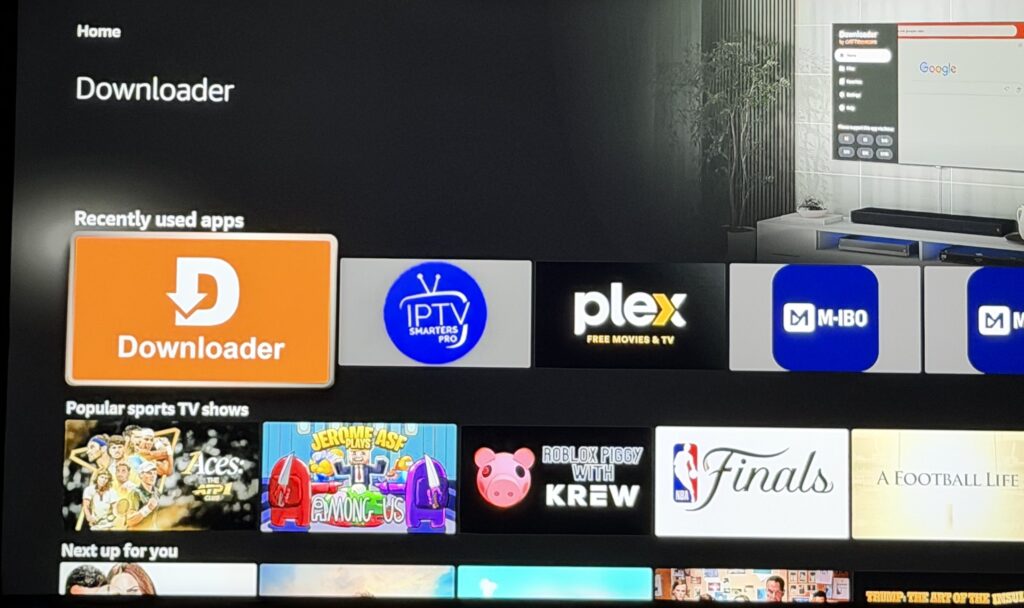
Open I P T V Smarter
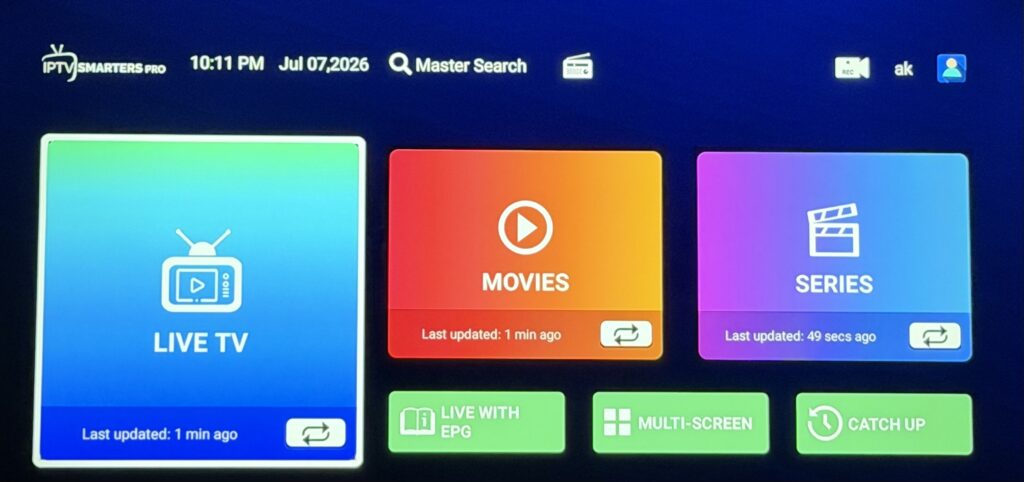
Click live with center button on remote.
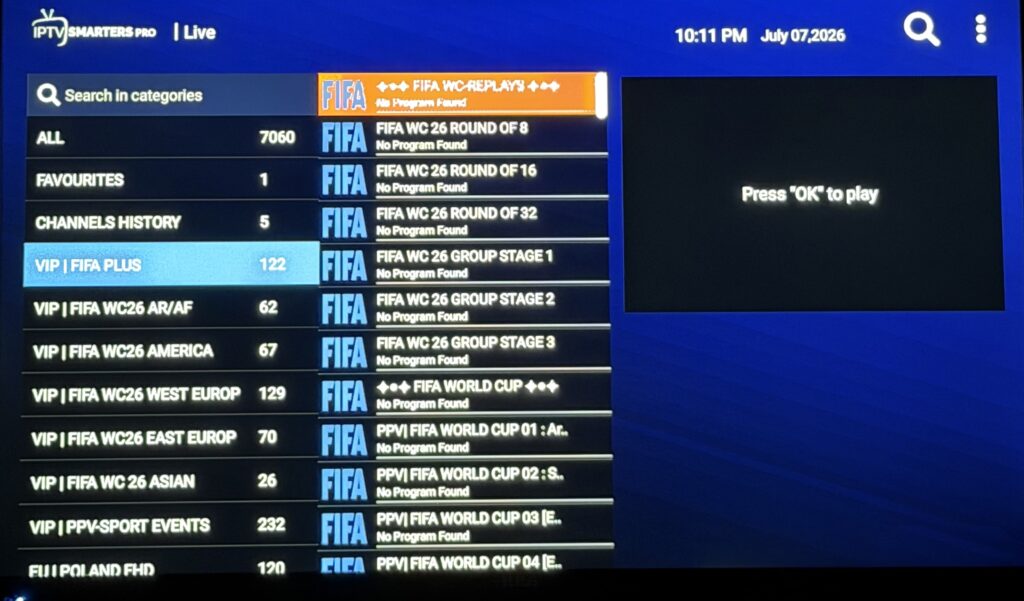
Select a category on the left, then highlight the channel on the right.
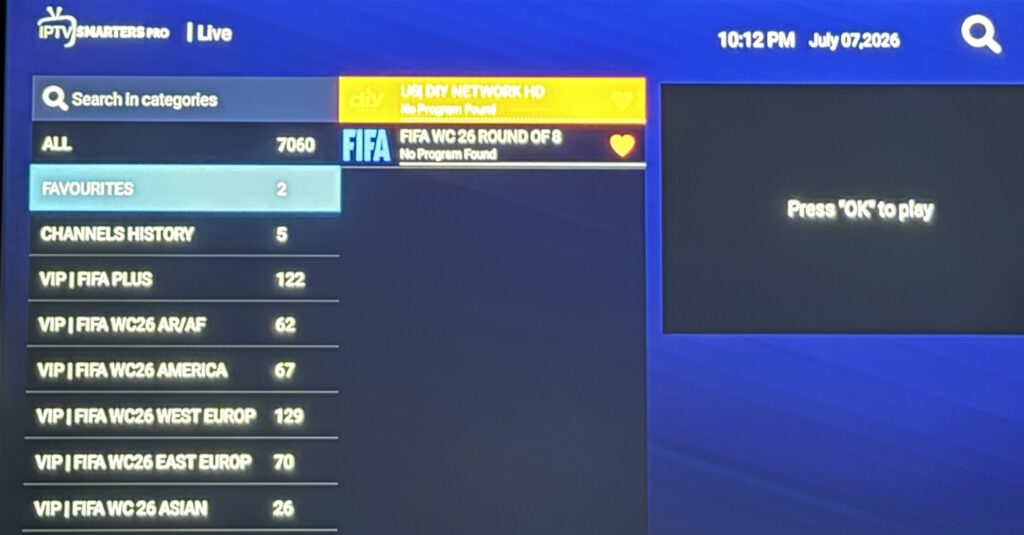
Hold the center button on the highlighted channel to pop up the favorite menu… Click Add to Favorite
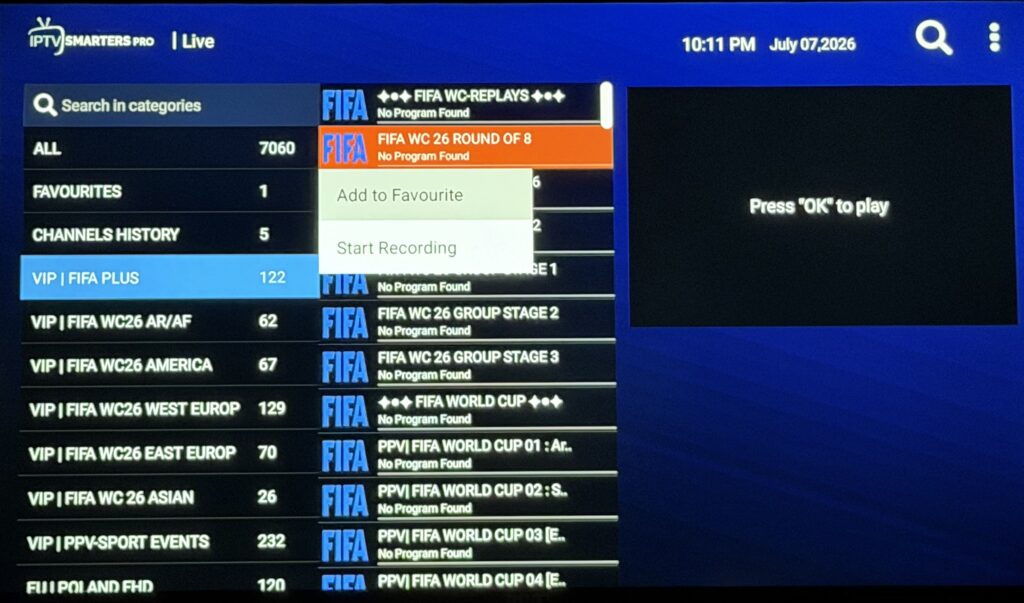
Now you will see a heart. That means it was added to favorites.
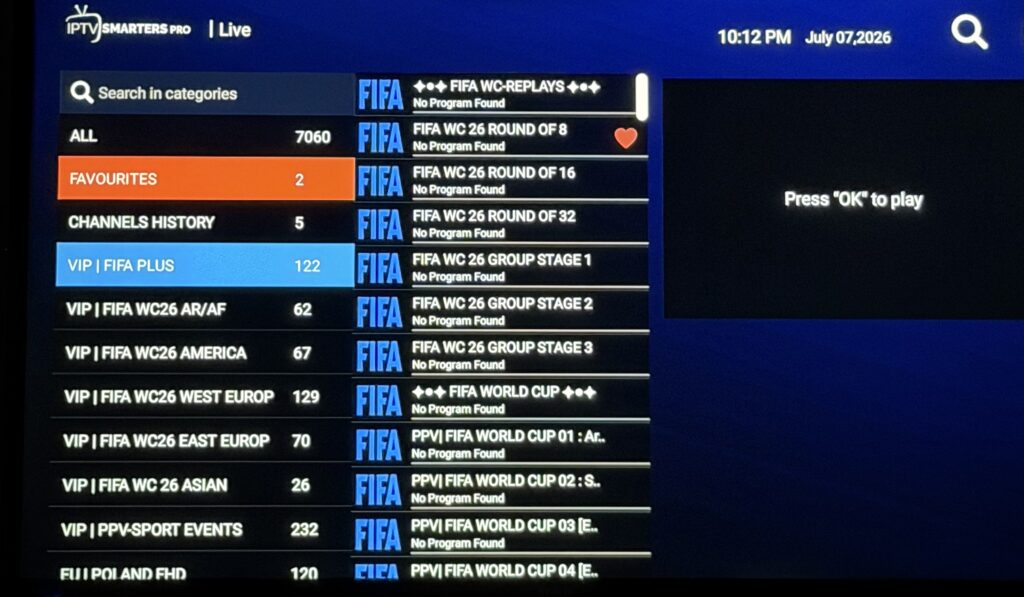
Now go select the Favorites folder in the left column. You will see your favorite channels. Move over to the center and select the one you want to watch.
Click the window on the right to go full screen, then you can use the left and right button to change between your favorite channels.